
A protected space
Once the Bubble is open, taps stay inside it. No surprise app switches, no wandering off mid-song.
A simpler way to enjoy the things they love.
PocketBubble creates a protected media experience where kids can enjoy their favorite music and videos without accidentally tapping their way out.
No subscription planned for launch. No ads. No outside links inside the Bubble.
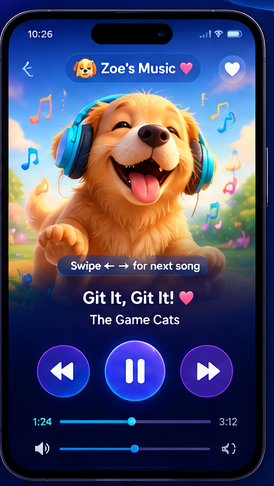
For many families, putting on a favorite playlist or video isn’t quite “set it and forget it.”
A child may tap a link, swipe into another app, change a setting, close the player, or suddenly lose the content they were enjoying.
Then someone has to step in, find the song again, restart the experience, and hand the device back.
PocketBubble is designed around one simple question:What if they could explore freely — without accidentally leaving the experience?
PocketBubble wraps the content they already love in a space that’s hard to leave by accident.
Once the Bubble is open, taps stay inside it. No surprise app switches, no wandering off mid-song.
You decide what goes in. The Bubble only holds the music, shows, and clips you added.
Leaving the Bubble takes an intentional caregiver action, not an accidental swipe.
Oversized buttons, high contrast, and generous spacing make every control easy to hit.
How it works
A caregiver sets things up once. After that, the Bubble is theirs.
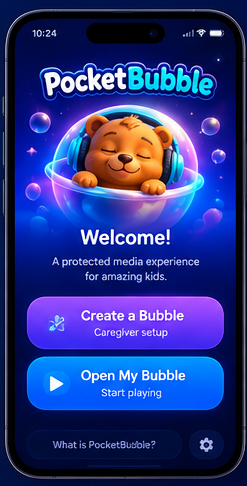
A caregiver opens the app and starts a short, friendly setup — no accounts to juggle.
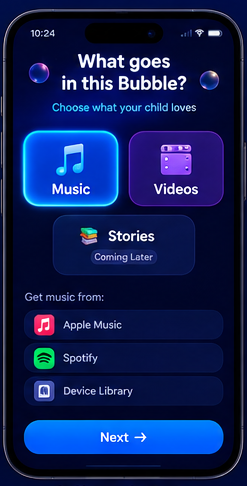
Pick the music and videos your child already loves. Only chosen content lives inside the Bubble.
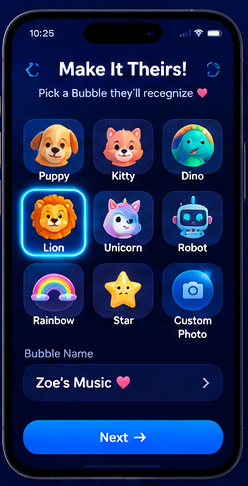
Choose a friendly avatar and name the Bubble, so it feels like their own space.
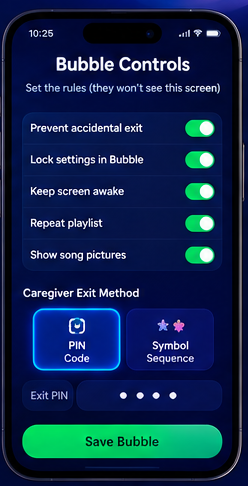
Lock the settings and choose how a caregiver leaves — a PIN or a symbol sequence.
Big buttons. Familiar favorites. Nothing hidden behind tiny menus.
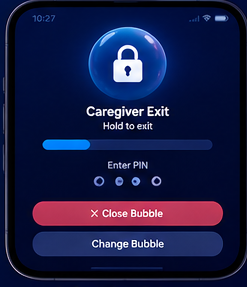
When it's time to stop, the caregiver uses the exit they set up earlier.
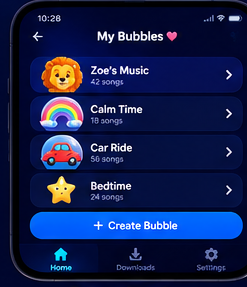
Save several Bubbles — calm time, car rides, bedtime — and reopen any of them in a tap.
The magic screen
Every control inside the Bubble is sized for real hands in real moments — including hurried, excited, or imprecise ones.
Everyday independence
There’s something quietly powerful about choosing your own song and having it keep playing.
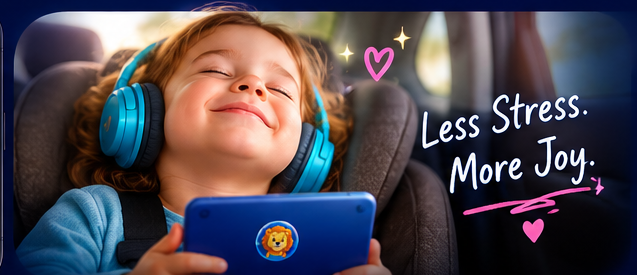
PocketBubble is built so kids can pick, replay, and enjoy what they love — and so the people around them can settle into the moment too.
Less resetting. Fewer interruptions. More time in the good part.
Setup, content, and the exit are all in the caregiver's hands.
Nothing inside the Bubble navigates to the open web.
No advertising, no upsells, no interruptions inside the experience.
Simple layouts, large targets, and predictable behavior.
We plan to collect as little as possible — the Bubble is for playing, not profiling.
Shaped by everyday moments, not lab conditions.
What we believe
Kids are capable. The app should get out of their way, not talk down to them.
Predictable beats flashy. Every screen should feel steady and familiar.
The people who know the child best decide what's inside and how to leave.
One clear purpose, done well, with no dark patterns and no hidden costs.
Planned pricing
$4.99
One-time purchase
Pricing is our current plan for launch and may change before release.
Founding families
Join the list for launch news, early access invitations, and the Kickstarter announcement. One email at a time — never shared.
Our story
It began with a familiar routine: pick a song, hand over the phone, and then step back in a minute later because the app had closed again.
We looked for something simple — a place where favorites could play without the whole thing falling apart after one tap. We didn’t find it, so we started building it.
PocketBubble is a small app with a specific job: keep the good part going. We’re building it in the open, with families guiding what comes next.
On the horizon
These aren’t promises — they’re directions. Founding Families help us decide what gets built first.
Separate Bubbles for siblings, each with their own favorites.
Optional wind-down cues so sessions can end calmly.
Different color worlds and characters to make the Bubble theirs.
Broader support for the libraries families already use.
Localized text and voice prompts beyond English.
Audiobooks and read-alongs in the same protected space.
We’re launching PocketBubble with the families who need it most. Join the list and you’ll know the moment the campaign goes live — plus what early backers get first.
Notify me at launch